Overview
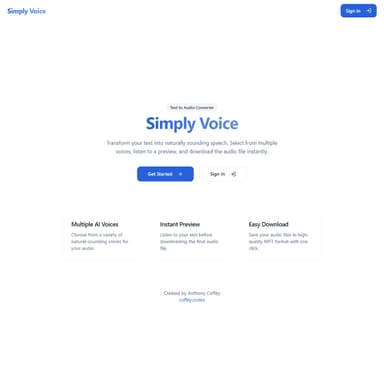
Simply Voice converts text to speech and hands you a .wav file. Type something, click generate, download. The "no fuss" philosophy runs through every design decision: no settings panels, no voice-model configuration, no dashboard to learn — just a text box and a button.
The Problem
Most TTS tools are buried three clicks deep in a cloud console, or they require you to wire up API credentials client-side (which means exposing a service account key in the browser). I wanted a clean UI that gets out of the way, with all the credential management handled server-side.
Architecture
React SPA (Firebase Hosting)
  → Cloud Function (Node.js, service-account auth)
    → Google Cloud Text-to-Speech API
      → Supabase Storage (per-user file persistence)
Supabase Auth (user sessions)
The Cloud Function acts as a secure proxy: it holds the Google Cloud service account credentials and never exposes them to the client. The React app calls the function with the text payload; the function synthesizes the audio and stores the resulting .wav in Supabase Storage under the authenticated user's namespace.
Key Features
| Feature | Detail |
|---|---|
Text → .wav generation | Google Cloud TTS, standard voice |
| In-browser download | Signed Supabase Storage URL, no server round-trip at download time |
| History panel | Lists all files for the signed-in user; supports play, download, and delete |
| User accounts | Sign-up and sign-in via Supabase Auth (email/password) |
Why This Stack
Firebase + Cloud Functions made service-account credential management straightforward without requiring a dedicated backend server. Supabase provided auth and object storage without vendor lock-in for the data layer — swapping the auth provider or storage bucket later would not require touching the synthesis logic.